
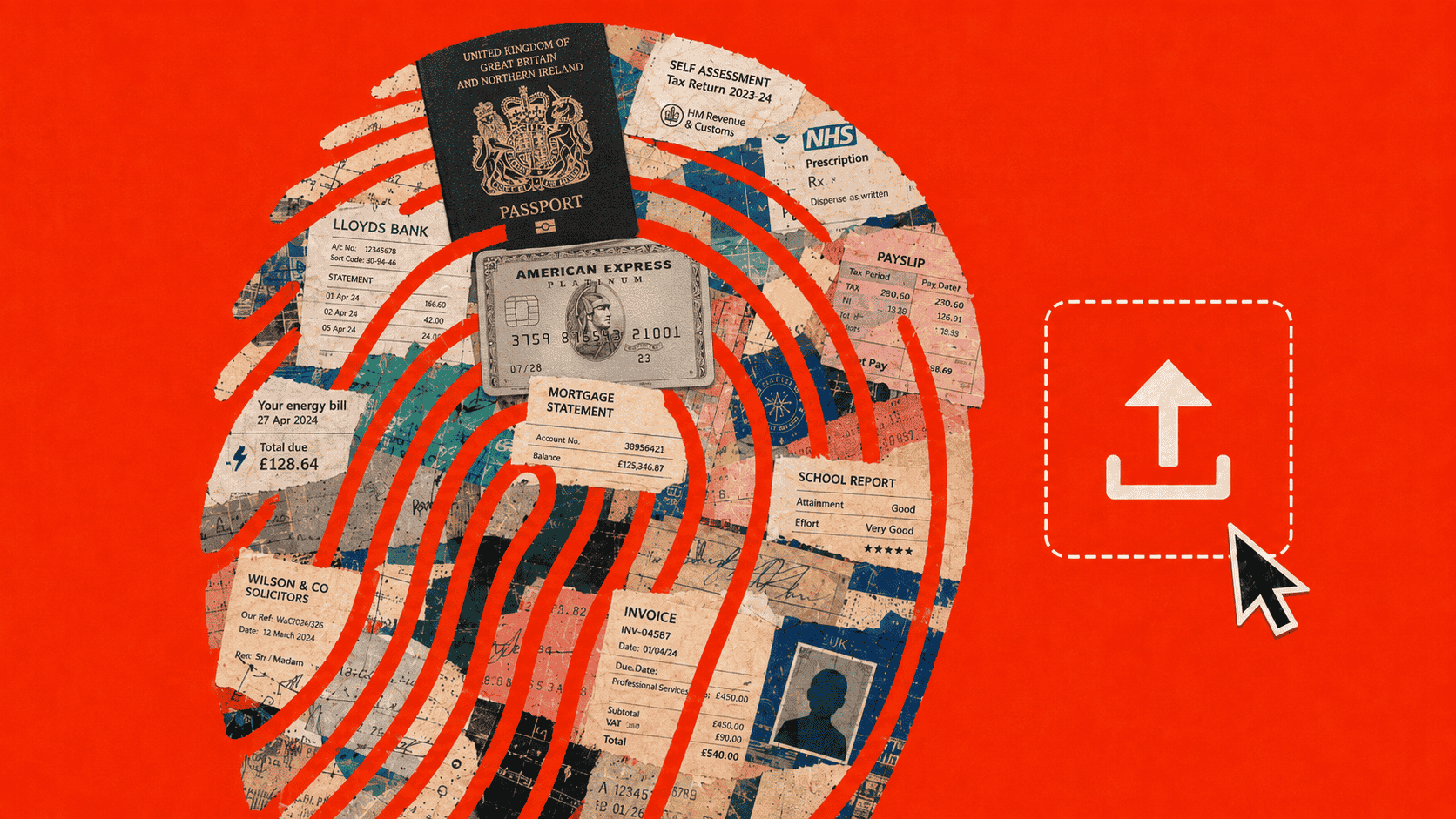
Most people do not think of a file as especially risky when they only need to make a small change to it. They need to compress a document for an application portal, convert a scan to PDF, remove a page, add a signature or combine several records into one file. The task feels routine, so using an online tool can feel routine too.
But the sensitivity of a document does not change because the edit is simple. A file may reveal someone’s identity, finances, health, family circumstances, legal position or private history. Once it is uploaded, the question is no longer only whether the tool can complete the task. It is also who receives the file, what happens during processing and whether sending it away was necessary.
Some documents should therefore never be uploaded to an unknown or untrusted online tool. Others may be appropriate to submit through a verified bank, government, healthcare, school, employer or legal portal when there is a genuine reason for the recipient to receive them.
This guide explains where that line sits, which documents require the greatest caution and how to complete common file tasks without creating unnecessary privacy risk.
- Passport scans, tax returns, immigration packages, detailed medical files and mortgage applications belong only in verified, necessary workflows.
- A document becomes more dangerous when it combines identity, address, income, signatures, health details or information about other people.
- HTTPS and deletion promises do not explain the complete processing route; the key question is whether the tool needs to receive the file at all.
- For routine preparation, use the lowest-exposure route: minimise the file, process locally where possible, verify the recipient and review the final copy.
The quick answer: which documents are most sensitive?
Some documents are dangerous because of one powerful identifier, such as a passport number. Others become dangerous because they combine smaller details such as an address, employer, income, signature, account history and date of birth.
The table below provides a practical starting point.
| Document type | Typical risk level | Do not upload to | Potentially appropriate destination |
|---|---|---|---|
| Passport or government ID scan | Critical | Unknown converters, image editors, compressors or AI tools | Official government, bank or verified identity-checking portal |
| Tax return | Critical | General-purpose document tools that require an upload | Tax authority, authorized accountant or approved tax platform |
| Immigration application or evidence package | Critical | Unrelated converters, editors or cloud tools | Official government portal or authorized representative |
| Detailed medical record | Critical | Consumer tools without a clear privacy and processing model | Healthcare provider, insurer or authorized recipient |
| Mortgage application package | Critical | Unverified PDF tools or document-sharing sites | Verified lender, broker or lawyer |
| Bank statement | Very high | Unknown converters, compressors or editors | Verified bank, lender, accountant or official portal |
| Payslip | Very high | Unnecessary converters or public document tools | Employer, government department or verified lender |
| School record | Very high | General-purpose file or AI services | School, education authority or authorized recipient |
| Insurance document | Very high | Unknown converters or sharing platforms | Verified insurer, broker or claim portal |
| Signed legal document | Very high | Unapproved editors or signing services | Lawyer, court, authorized counterparty or approved platform |
| Utility bill | High | Untrusted converters | Verified organization requesting proof of address |
| Rental agreement | High | Unnecessary editors or sharing tools | Landlord, tenant, lawyer or authorized housing service |
| Invoice | High or contextual | Unknown tools when it contains banking, tax or client data | Customer, accountant or approved business platform |
| Resume or CV | Contextual to high | Tools with unclear storage, reuse or AI-training terms | Employer, recruiter or professional application platform |
These levels are not legal classifications. They are practical judgements based on what the document can reveal, what it can help another person prove and what might happen if it reaches the wrong recipient.
What makes a document sensitive?
A sensitive document is not simply a file marked “confidential.”
It is any document whose inappropriate access, reuse or disclosure could:
- help someone impersonate you
- expose financial or payment information
- reveal health, family, immigration or education details
- compromise a legal or commercial position
- disclose information about another person
- support a scam or fraudulent application
- or cause financial, professional, reputational or personal harm.
NIST recommends evaluating personally identifiable information in context and applying safeguards according to the likely consequences of inappropriate access, use or disclosure.[1]NIST guidance on personally identifiable informationNIST explains that personally identifiable information should be evaluated in context and protected according to the likely harm caused by inappropriate access, use or disclosure.
This matters because sensitivity rarely comes from one field in isolation. A name may already be public. An address may be discoverable elsewhere. But a payslip that connects a name, address, employer, salary, employee number and tax information creates a much more complete record.
Official identity checks also combine evidence to establish a person’s identity, address, nationality or status.[10]UK government identity-document and verification guidanceThe guidance explains how passports, identity cards, immigration documents and supporting records are used together to establish identity, address and legal status. That same collection becomes particularly sensitive outside a legitimate verification process.
The format does not determine the risk. Converting a Word document to PDF does not remove its information. Turning a scan into an image does not make the identity details less useful. Documents can also contain metadata, hidden worksheets, tracked changes and other information that is not visible during an ordinary review.
Six questions to ask before uploading any document
1. Can the document prove who I am?
Passports, driving licences, identity cards and immigration documents have strong identity value. A utility bill or bank statement may also help establish identity by proving an address or account relationship.
2. Does it expose financial information?
Look for account details, income, tax information, balances, transactions, credit information and payment instructions.
The US Federal Trade Commission identifies bank statements, payslips, tax records, medical bills and utility bills as records that should be stored securely and destroyed when no longer required.[9]FTC guidance on retaining and destroying personal documentsThe FTC identifies bank statements, payslips, tax records, medical bills and utility bills as documents that should be stored securely and destroyed when no longer needed.
3. Does it reveal deeply private information?
Medical conditions, prescriptions, family relationships, immigration history, school support needs, legal disputes and insurance claims can cause harm even when they cannot directly be used to steal money.
4. Could it help someone pass a verification check?
Consider whether the file could support a loan application, account-recovery request, tenancy application, benefits claim or identity check.
The FTC has taken action against businesses selling fake bank statements, payslips, tax forms and medical documents for use in identity theft and other fraud.[17]FTC cases involving fraudulent financial and personal documentsThe FTC took action against businesses selling fabricated bank statements, pay stubs, tax forms and medical documents for alleged use in fraud and identity theft. Authentic documents can be valuable because they contain the details that verification processes expect.
5. Does it expose somebody else?
A file may contain information about a spouse, child, patient, customer, employee, tenant, guarantor or legal counterparty. Your decision to upload it may create risk for people who never chose the service.
6. How difficult would the exposure be to contain?
A password can be changed. But you cannot easily change your date of birth, employment history, family relationships, medical history or past transactions.
The more concerning the answers, the less appropriate an untrusted upload becomes.
- Can it prove identity?
- Does it expose finances?
- Is the information deeply private?
- Could it pass verification?
- Does it expose somebody else?
- Would exposure be hard to contain?
Critical-risk documents
Critical-risk documents can establish identity, expose deeply private information, support significant fraud or combine several of those risks in one file.
Authoritative identity, photograph, nationality, document number and status.
Identifiers, household information, income, investments and banking details.
Identity, family relationships, addresses, travel, employment and legal status.
Diagnoses, prescriptions, treatment history, claims and patient identifiers.
A combined identity, income, asset, residence and signature dossier involving applicants and co-applicants.
Passport and government ID scans
A passport scan combines a person’s legal identity, photograph, nationality, date of birth, document number, validity information and machine-readable data in one authoritative record.
That is why an unauthorized copy can be valuable. UK government guidance describes passports and other secure identity documents as evidence used to establish identity, nationality and legal status.[10]UK government identity-document and verification guidanceThe guidance explains how passports, identity cards, immigration documents and supporting records are used together to establish identity, address and legal status.
A 2026 incident showed how a legitimate collection process can still lead to later exposure. The Financial Times reported that scans of more than 700 passports and identity cards connected to an international finance summit had been stored on an unprotected cloud server.[11]Financial Times report on exposed passport scansThe Financial Times reported in February 2026 that more than 700 passport and ID scans connected to an international finance summit were found on an unprotected cloud server. Attendees had supplied identification for a real event, but the later storage configuration created a risk they could not control.
The question of whether it is safe to upload a passport scan to an online PDF tool becomes especially important when the only task is resizing the image, changing its format, turning it into PDF or compressing it below a portal limit.
There are legitimate reasons to submit a passport online. A government visa portal, verified bank identity check or authorized employer process may require it. In those cases, verify the destination independently and provide only what is required.
Tax returns
A tax return can combine government identifiers, names and addresses, family information, employment or business income, investments, deductions and banking details.
Tax identity theft can involve someone using stolen personal information to file a fraudulent return or seek a refund in another person’s name.[2]IRS Identity Theft Guide for IndividualsThe IRS explains how stolen tax and personal information may be used in tax identity theft and fraudulent refund claims.
A full return is therefore a poor candidate for an unknown compressor or PDF converter. The wider question of whether it is safe to upload payslips and tax returns to online file tools depends on who operates the service, whether the file leaves the device and whether the remote processing is necessary.
Immigration documents
An immigration package may combine passport copies, identity numbers, address history, family relationships, employment, finances, travel, police records, education and personal explanations.
The risk comes from the complete profile. Even when each piece seems ordinary on its own, the package may reconstruct someone’s identity, household, finances and movements.
Immigration records can also contain facts that cannot be changed after exposure, such as family history, past addresses and travel movements.
For that reason, determining whether it is safe to upload immigration documents to online tools should begin with the destination. An official government portal or a verified system supplied by an authorized representative is different from an unrelated converter used only to alter the file.
Medical records and prescriptions
Medical documents may reveal diagnoses, medication, test results, treatment history, insurance details and patient identifiers.
In the United States, HIPAA protects identifiable health information when it is handled by covered healthcare entities and their business associates. It does not automatically protect every consumer website or unrelated file service chosen by an individual.[3]HHS guidance on personal health information and health applicationsHHS explains that HIPAA applies in covered healthcare contexts but does not automatically protect information disclosed to unrelated consumer services.
A document does not carry its regulatory protection everywhere it goes. Uploading a clinical report to an unrelated converter does not automatically make that converter a HIPAA-regulated service.
The FTC describes medical identity theft as the use of another person’s identity or insurance information to obtain treatment, prescriptions, medical devices or fraudulent payments.[18]FTC guidance on medical identity theftThe FTC explains how another person’s identity or insurance details may be used to obtain treatment, prescriptions, devices or fraudulent payments.
In May 2025, the US Department of Health and Human Services announced a settlement involving an unsecured server that exposed medical images belonging to 21,778 people.[13]HHS settlement involving an unsecured medical-image serverHHS announced a settlement involving a server that exposed medical images belonging to 21,778 people. That incident occurred within the healthcare system, where formal obligations already applied. A random consumer tool may provide much less visibility into storage, access and incident response.
The answer to whether it is safe to upload medical records or prescriptions online therefore depends on both the recipient and the processing route. A verified healthcare portal may be appropriate, while a general-purpose converter may introduce an unnecessary third party.
Mortgage application packages
Mortgage packages may combine IDs, bank statements, payslips, tax documents, employment letters, credit information, signatures, property details and information about a spouse or co-applicant.
The combined package is more sensitive than any single page. A genuine mortgage file may contain nearly all the evidence needed to establish identity, income, assets and residence.
When a package needs to be merged, compressed or reordered, safely handling mortgage documents with online tools means separating the legitimate submission from the preparation step. The lender may need the final file, but a separate converter may not need to receive the underlying documents at all.
Very-high-risk financial and employment documents
These records may not prove identity as strongly as a passport, but they can expose income, accounts, employment, household circumstances and private routines.
Bank statements
A bank statement can reveal far more than the current balance. It may contain a name and address, account information, salary deposits, rent or mortgage payments, medical spending, subscriptions, travel patterns and transfers between named people.
Even when the account number is partially hidden, the transaction history may expose private habits and relationships.
Whether it is safe to upload a bank statement to an online PDF converter depends partly on why the converter needs the source file. Rotating, splitting or compressing a statement often does not require handing a remote service access to the customer’s financial history.
Payslips
A payslip may contain employer details, employee number, salary, tax information, deductions, pension contributions, home address and banking fragments.
It is also evidence of employment and income. Fake payslips have been marketed for fraudulent applications and identity-related schemes, illustrating why genuine versions can be valuable.[17]FTC cases involving fraudulent financial and personal documentsThe FTC took action against businesses selling fabricated bank statements, pay stubs, tax forms and medical documents for alleged use in fraud and identity theft.
The risks of uploading a payslip to an online file tool therefore extends beyond disclosure of salary. The document may also confirm a person’s employer, role, address and the appearance of an authentic payroll record.
Business financial documents
Business files can expose client names, suppliers, pricing, revenue, tax numbers, bank details, signatures and internal approval processes.
Uploading them can therefore affect customers, employees and business partners, not only the person using the tool.
Assessing whether it is safe to upload business financial documents to online tools requires considering commercial confidentiality as well as personal data. A routine invoice conversion may expose pricing, account relationships or internal processes that were never meant to leave the organization.
Insurance documents
An insurance file may describe a home, vehicle, medical issue, accident, dependants, beneficiary or valuable asset.
A property claim may contain photographs, addresses, receipts and bank information. A health claim may add diagnosis or treatment details. A vehicle claim may disclose registration, licence and location information.
A generic policy summary and a complete claim package do not present the same risk. The safe handling of insurance documents with online tools begins with the actual contents rather than the word “insurance” in the filename.
School records
School files can contain direct identifiers such as a child’s name and student number, as well as indirect details that can distinguish or trace the student.[4]U.S. Department of Education definition of education-record PIIThe Department of Education explains that student PII can include direct identifiers and combinations of indirect information capable of identifying or tracing a student.
They may also include guardian information, grades, attendance, learning support, medical details, behaviour, discipline and family circumstances.
- CollectedIdentity and guardiansNames, contacts and student identifiers.
- During schoolLearning and welfareAttendance, support, health and behaviour.
- After transferRecords persistCopies may remain across systems and providers.
- Years laterStill personalChildhood information can remain sensitive into adulthood.
The 2024 PowerSchool cyberattack demonstrated how broad and long-lived education records can become when they are held in centralized third-party systems. Ontario’s privacy regulator investigated exposure involving the Ministry of Education, 20 school boards and a third-party education-technology provider.[12]Ontario privacy regulator’s PowerSchool investigationThe regulator investigated a breach involving the Ministry of Education, 20 school boards and a third-party education-technology provider.
The question of whether it is safe to upload school records to online tools is especially important because children cannot meaningfully control the long-term use of information collected about them. A file may remain sensitive long after its original school purpose has ended.
Documents whose risk depends on what they contain
Some file names reveal little about the real sensitivity. A blank invoice template is different from a completed invoice containing bank details. A public resume is different from an employment package containing references and immigration information.
LowerName, city and professional history.
HigherHome address, immigration details, references and metadata.
LowerBlank template or public price list.
HigherBank instructions, client details and sensitive work descriptions.
LowerGeneric sample terms.
HigherSignatures, private clauses, disputes and payment terms.
Contracts and signed legal documents
Contracts may contain signatures, payment terms, confidential clauses, intellectual property, legal strategy, allegations or settlement terms.
Editing a signed agreement with an unknown service can create confidentiality, integrity and version-control concerns even when identity theft is not the main risk.
The American Bar Association has warned that legal organizations need governance and technical controls when client documents are processed through third-party and generative-AI systems.[14]American Bar Association guidance on legal data and generative AIThe ABA discusses confidentiality risks when legal documents and client information are processed through third-party and generative-AI services. The broader principle applies beyond law firms: a useful feature does not remove the need to examine what the service receives, stores or reuses.
Whether it is safe to use an online tool to sign or edit a legal document therefore depends on more than encryption. The service may also become part of the document’s custody, version history and confidentiality chain.
Resumes and CVs
A resume is designed to be shared, but not necessarily with every service.
A restrained version may contain only a name, city, professional email, work history and education. A more revealing copy may include a home address, telephone number, citizenship or immigration information, photograph, date of birth, references, comments or document metadata.
The references named in the document are part of the privacy decision too. Their contact details may be exposed when the file is placed into an unrelated converter or AI service.
The privacy risks of uploading a CV or resume online therefore depends on both the visible details and anything embedded in the source file. A document intended for recruiters does not automatically belong in an unrelated processing system.
Utility bills
A utility bill may look routine, but it can connect a person to a home address and account. That is why bills are commonly requested as proof of residence.
It may also reveal an account number, other household members, payment information, service status or whether a property is occupied.
A bill becomes more valuable when it appears beside an ID scan or bank statement because the files can support each other during identity verification.[10]UK government identity-document and verification guidanceThe guidance explains how passports, identity cards, immigration documents and supporting records are used together to establish identity, address and legal status.
This is why asking whether it is safe to upload a utility bill to an online converter is not excessive caution. The bill may be performing an identity function even when the requested task is only converting or compressing it.
Rental agreements
A rental agreement may contain tenant and landlord names, addresses, signatures, rent amounts, payment instructions, guarantor information and identification details.
It can function as both a legal record and proof of residence. That combination means an exposed copy may affect several people and serve more than one fraudulent purpose.
Before deciding to upload a rental agreement to an online PDF tool, consider whether the service needs access to the agreement itself or whether the task can be completed locally.
Invoices
An invoice can range from nearly public to highly confidential.
It may contain customer addresses, personal contact details, tax numbers, bank instructions, prices, account references or descriptions of sensitive work. A medical, legal or contractor invoice may reveal private facts even without the underlying service record.
Business invoices can also expose supplier relationships, project codes, negotiated prices and internal contacts.
The safe use of online tools for invoices depends on the completed document, not the generic format. A blank template carries little risk, while a real invoice may reveal both personal data and confidential business relationships.
Why several documents together can be more dangerous than one
Document risk is cumulative.
A utility bill can help establish an address. A passport can prove identity. A payslip can prove employment and income. A bank statement can demonstrate an account relationship.
Together, they can form a convincing verification package.
Government identity-checking guidance describes verification as a process of combining evidence and checking whether the details consistently belong to the person presenting them.[10]UK government identity-document and verification guidanceThe guidance explains how passports, identity cards, immigration documents and supporting records are used together to establish identity, address and legal status. The same collection becomes dangerous when obtained by someone trying to impersonate that person.
This is also how stolen documents can be used for identity theft. Their value may lie in combining several authentic details rather than relying on one document to do everything.
How to recognize an untrusted or unclear file tool
An untrusted tool is not necessarily a service already proved malicious. It is a service for which you do not have enough reliable information to justify exposing the document.
Warning signs include:
- no identifiable operator
- no meaningful privacy policy
- unclear local or server processing
- no retention or deletion explanation
- misleading branding
- deceptive download buttons
- pressure to install an extension or helper application
- unexplained account creation
- unexpected redirects
- permissions unrelated to the task
- or no reasonable contact method.
A polished website or prominent search position is not proof of trustworthiness.
In 2025, fake websites promoted AppSuite PDF Editor through Google Ads. The installer appeared to provide a normal PDF application, but researchers found that it also established persistence and checked for later instructions. After remaining largely harmless for about 56 days, it activated the TamperedChef information-stealing tool, which could collect browser credentials and session cookies.[5]TechRadar report on the fake AppSuite PDF EditorTechRadar reported that fake PDF-editing software promoted through Google Ads remained largely dormant before activating TamperedChef credential-stealing and backdoor capabilities.
The lesson is broader than one application. A document tool can have a plausible name, professional interface, sponsored search position and working features while still creating a separate security risk.
An unclear operator, deceptive download button or unexpected software installation may be enough reason not to use an online file tool, even when the site looks polished and appears to complete the promised task.
HTTPS does not answer the whole question
HTTPS protects information while it travels between your browser and a website. It does not tell you:
- whether the file is uploaded
- where it is processed
- how long it is retained
- whether sub processors receive it
- whether it appears in logs or backups
- whether it is reused
- or who can access it.
A secure connection to the wrong recipient is still the wrong disclosure.
HTTPS helps protect
- The connection while information travels
- Interception on the route between browser and site
HTTPS does not explain
- Retention, backups, logs or subprocessors
- Reuse, staff access or what happens after arrival
A deletion promise is useful only when it explains the full processing route. ICO guidance says personal information should not be retained longer than necessary and that retention periods should be justified.[16]ICO guidance on storage limitationThe ICO explains that personal information should not be retained longer than necessary and that retention periods should be justified.
“Deleted after one hour” does not explain whether temporary copies, backups, logs or sub processors were involved before deletion.
When uploading a sensitive document can be appropriate
“Never upload” is too broad when the submission is genuinely necessary.
You may need to send a document to a government department, bank, healthcare provider, insurer, employer, school, lawyer, accountant or immigration representative.
The safer route is usually the official portal or specifically authorized system supplied by that organization.
Before submitting:
- Open the organization’s official website independently.
- Confirm the recipient, domain and requested document.
- Share only the required pages and fields.
- Use the designated portal and retain confirmation.
ICO guidance on data minimisation says personal information should be limited to what is adequate, relevant and necessary for the purpose.[15]ICO guidance on data minimisationThe ICO explains that organizations should collect and disclose only the personal information that is adequate, relevant and necessary for a defined purpose. The same practical question applies to an individual disclosure: does the recipient need the entire file, or only one page, date, balance or identifier?
File-size limits, rejected formats and naming errors are common upload portal file requirements, but they do not justify sending a sensitive document to the first converter shown in search results.
A simple file task does not always require an upload
People usually search for an immediate fix:
- compress a tax return
- merge visa documents
- convert a bank statement
- rotate a medical scan
- sign a contract
- extract an insurance page
- or resize a passport image.
The operation may be simple. The information inside the file is not.
A service does not need access to a person’s financial history merely because a page needs rotating. It does not need passport details simply because an image format needs changing.
This is where private file tools offer a different trust model: the task can sometimes be completed without transferring the source document to a remote processing server.
Browser-based does not automatically mean private
A website can process a file:
- entirely on the device
- on a remote server
- or through a mixture of both
Modern browsers can read deliberately selected files, process them and save output locally.[6]MDN File API and File System API documentationMDN documents browser technologies that allow selected files to be read, processed and saved locally.[7]MDN WebAssembly documentationMDN explains how compiled processing code can run inside modern browsers, supporting more demanding local operations. The File API supports working with user-selected files, while WebAssembly allows substantial processing code to run inside the browser.
But a tool opening in a browser does not prove that it works locally. A browser page can still transmit the file, a preview or extracted data to a server.
Look for a clear statement that processing happens locally and that the source file is not transmitted for processing. Generic terms such as “online,” “web-based,” “private” or “secure” are not enough on their own.
FileYoga’s local-browser approach
FileYoga is designed around a simple principle: when a routine file task can be completed on the user’s device, the source file should not need to be sent to servers for processing.
For supported tools, files are selected and processed within the browser. This removes the remote-processing upload from the workflow.
That does not eliminate every risk. Users still need to consider device security, shared computers, cloud-synchronized download folders, hidden data in the output and the legitimacy of the final recipient.
Local processing reduces one important exposure: giving a separate processing service possession of the source file.
A data-minimisation and secure-sharing checklist
A practical document-safety process can follow established privacy principles: understand the purpose, disclose only what is necessary, verify the recipient, use an appropriate transfer method and avoid keeping unnecessary copies.[15]ICO guidance on data minimisationThe ICO explains that organizations should collect and disclose only the personal information that is adequate, relevant and necessary for a defined purpose.[16]ICO guidance on storage limitationThe ICO explains that personal information should not be retained longer than necessary and that retention periods should be justified.[20]ICO guidance on encryption and transferring personal dataThe ICO explains how encryption can protect files during transfer and discusses appropriate methods for sending encrypted attachments.[22]ICO guidance on sharing personal information securelyThe ICO advises organizations to disclose only necessary information and ensure that it is sent securely to the correct recipient.
1. Review the complete document
Check every page rather than relying on the file name or first-page preview.
For spreadsheets, review all worksheets, hidden rows, columns, formulas and filters. For office documents, inspect comments, track changes and properties. For images, consider location and device metadata.
2. Confirm the purpose
Ask why the document is required and whether the recipient needs the complete file.
If the task is only to merge, rotate, compress, split or convert it, ask whether the document needs to leave the device at all.
3. Share only what is necessary
Depending on the request, this may mean:
- extracting one page
- removing unrelated transactions
- deleting irrelevant attachments
- cropping unnecessary surroundings
- masking an identifier where permitted
- removing comments
- or creating a separate disclosure copy.
Redaction must remove the underlying information. Covering text with a black rectangle may leave it recoverable.
Every unnecessary page or field removed before sharing is one less fact exposed if the file reaches the wrong place.
4. Verify the recipient and destination
Confirm the organization, recipient, domain, collection purpose and whether another company operates the portal.
Open the organization’s official site independently rather than relying only on a link in an unexpected message. If another company’s domain is used, verify the relationship through the organization’s official account or published contact details.
ICO sharing guidance recommends disclosing only necessary information and sending it securely to the correct person.[22]ICO guidance on sharing personal information securelyThe ICO advises organizations to disclose only necessary information and ensure that it is sent securely to the correct recipient.
5. Choose an appropriate transfer method
Use the official or specifically authorized portal when available.
If email is required, confirm the address and consider encrypting the attachment. Send the password through a separate channel.[20]ICO guidance on encryption and transferring personal dataThe ICO explains how encryption can protect files during transfer and discusses appropriate methods for sending encrypted attachments.
For cloud sharing, restrict access to named recipients rather than using public or “anyone with the link” access. CISA recommends applying least-privilege principles so that cloud-stored documents are available only to people who genuinely require them.[21]CISA guidance on cloud-storage permissionsCISA recommends applying least-privilege access to cloud-stored documents and limiting access to people who genuinely require it.
6. Check the final file before sending
Open the exact version being submitted.
Confirm that:
- it is the correct document
- only intended pages remain
- redactions are secure
- comments and tracked changes are gone
- the filename reveals nothing unnecessary
- and the recipient is correct.
7. Limit copies after submission
After processing or submitting the file:
- inspect the output
- retain any confirmation
- remove unnecessary copies from shared devices
- check synchronized folders
- revoke temporary links
- and delete working copies when no longer needed.
A pre-upload safety checklist for sensitive documents can help turn these steps into a repeatable process, while the broader sensitive file upload checklist applies the same principles to any online service before the file leaves the device.
What to do if you already uploaded a sensitive file
Do not assume that nothing can be done. Respond according to the information contained in the document.
Capture the service, time, file and displayed promises.
Ask about storage, subprocessors and backups.
List identifiers, accounts, signatures and affected people.
Contact relevant organizations and secure affected accounts.
Investigate suspicious software, extensions or downloads.
1. Record what happened
Save the website address, service name, time, uploaded file and any privacy or deletion statements displayed.
2. Contact the service
Ask whether the file was stored, shared with sub processors or placed into backups, and request deletion where possible.
3. Identify what was exposed
List the identifiers, accounts, signatures, addresses and other sensitive information contained in the file.
4. Protect affected accounts or documents
Depending on the exposure, this may include:
- changing passwords
- contacting a bank
- monitoring financial accounts
- replacing an identity document
- contacting a tax authority
- notifying an employer, school or healthcare provider
- or placing a fraud alert.
IdentityTheft.gov provides recovery steps based on the type of information or account involved.[19]IdentityTheft.gov recovery guidanceIdentityTheft.gov provides a government-run reporting and recovery process based on the type of information or account involved.
5. Check the device
If the site installed software, an extension or a suspicious download, stop using it and perform an appropriate security check.
The response should match what the document exposed. Someone who has uploaded a sensitive file to the wrong website may need to contact a bank, replace an identity document or notify a healthcare provider, while a wider pattern of leaked accounts or stolen files may require a more structured security incident and data exposure response.
A final rule that works for almost every sensitive document
Ask two separate questions:
The answer to the first may be yes. A lender may need a bank statement. A government portal may need a passport scan. A healthcare provider may need a medical record.
The answer to the second is often no. A converter may not need a bank statement simply to rotate one page. A compressor may not need a passport simply to reduce its file size.
When remote processing is unnecessary, keeping the file on the device is the safer default.
Frequently asked questions
Not automatically. Email creates different risks, including sending the attachment to the wrong person, account compromise, forwarding and long-term storage in several mailboxes or backups.
When an organization provides a verified secure portal, that is often preferable. If email is required, confirm the recipient, consider an encrypted attachment and send the password through a separate channel. Encryption protects the transfer, but it does not make an incorrect or untrustworthy recipient safe.
No. Password protection may prevent someone who obtains the file from opening it immediately, but it does not make the service trustworthy.
A converter or editor may need the document to be unlocked before processing it. If you enter the password into the same service, it may receive both the file and the information needed to open it.
Password protection is most useful when the recipient is already trusted and the password is shared separately.
It can provide more control. A restricted link may allow access to named accounts, support expiry dates and let you revoke access later. An email attachment creates a separate copy that is difficult to recall.
The link is safer only when permissions are configured correctly. Avoid public or “anyone with the link” access for sensitive documents, confirm who can open it and remove access when it is no longer required.
Sometimes, but not automatically.
A screenshot may remove tracked changes and some document metadata, but it still exposes everything visible in the image. It can also capture notifications, browser tabs, account names, file paths or unrelated windows.
Text in a screenshot may still be extracted through OCR. Review and crop it carefully rather than assuming that converting information into an image makes it anonymous.
Often, provided the recipient accepts a redacted copy and the redaction is genuine.
Secure redaction removes the underlying content. Covering text with a black rectangle, changing its colour or placing another object over it may only hide it visually.
Export the final copy, reopen it and confirm that the information cannot be selected, searched or recovered.
Usually. Sharing one necessary page instead of an entire statement, contract or medical file reduces the amount of exposed information.
Inspect the extracted page for repeated headers, account details and metadata. Also confirm that the recipient accepts a partial document, because some formal applications require the full, unaltered record.
Do not assume that the domain is fraudulent. Banks, governments and employers often use specialist identity, signing or document-management providers.
Verify the relationship before uploading. Return to the organization’s official website or account and confirm that the third-party provider is named or linked there. Avoid verifying it through the same unexpected message that supplied the link.
No. A scan may have less editable structure than the original electronic file, but the visible identity, financial, medical or legal information remains sensitive.
Scanning can also create extra copies in a printer, scanning application, photo library or synchronized folder. Consider where the scan was created and stored, not only the final image or PDF.

Sources and references
- [1]NIST guidance on personally identifiable informationNIST explains that personally identifiable information should be evaluated in context and protected according to the likely harm caused by inappropriate access, use or disclosure.csrc.nist.gov ↩ context
- [2]
- [3]
- [4]U.S. Department of Education definition of education-record PIIThe Department of Education explains that student PII can include direct identifiers and combinations of indirect information capable of identifying or tracing a student.studentprivacy.ed.gov ↩ context
- [5]TechRadar report on the fake AppSuite PDF EditorTechRadar reported that fake PDF-editing software promoted through Google Ads remained largely dormant before activating TamperedChef credential-stealing and backdoor capabilities.techradar.com andtruesec.com ↩ context
- [6]MDN File API and File System API documentationMDN documents browser technologies that allow selected files to be read, processed and saved locally.developer.mozilla.org anddeveloper.mozilla.org ↩ context
- [7]MDN WebAssembly documentationMDN explains how compiled processing code can run inside modern browsers, supporting more demanding local operations.developer.mozilla.org ↩ context
- [8]ICO guidance on hidden information in electronic documentsThe ICO warns about metadata, hidden worksheets, embedded content, underlying spreadsheet data and ineffective redaction.ico.org.uk ↩ context
- [9]FTC guidance on retaining and destroying personal documentsThe FTC identifies bank statements, payslips, tax records, medical bills and utility bills as documents that should be stored securely and destroyed when no longer needed.consumer.ftc.gov ↩ context
- [10]
- [11]
- [12]
- [13]
- [14]American Bar Association guidance on legal data and generative AIThe ABA discusses confidentiality risks when legal documents and client information are processed through third-party and generative-AI services.americanbar.org ↩ context
- [15]ICO guidance on data minimisationThe ICO explains that organizations should collect and disclose only the personal information that is adequate, relevant and necessary for a defined purpose.ico.org.uk ↩ context
- [16]ICO guidance on storage limitationThe ICO explains that personal information should not be retained longer than necessary and that retention periods should be justified.ico.org.uk ↩ context
- [17]
- [18]FTC guidance on medical identity theftThe FTC explains how another person’s identity or insurance details may be used to obtain treatment, prescriptions, devices or fraudulent payments.consumer.ftc.gov ↩ context
- [19]IdentityTheft.gov recovery guidanceIdentityTheft.gov provides a government-run reporting and recovery process based on the type of information or account involved.identitytheft.gov ↩ context
- [20]ICO guidance on encryption and transferring personal dataThe ICO explains how encryption can protect files during transfer and discusses appropriate methods for sending encrypted attachments.ico.org.uk ↩ context
- [21]
- [22]ICO guidance on sharing personal information securelyThe ICO advises organizations to disclose only necessary information and ensure that it is sent securely to the correct recipient.ico.org.uk ↩ context