
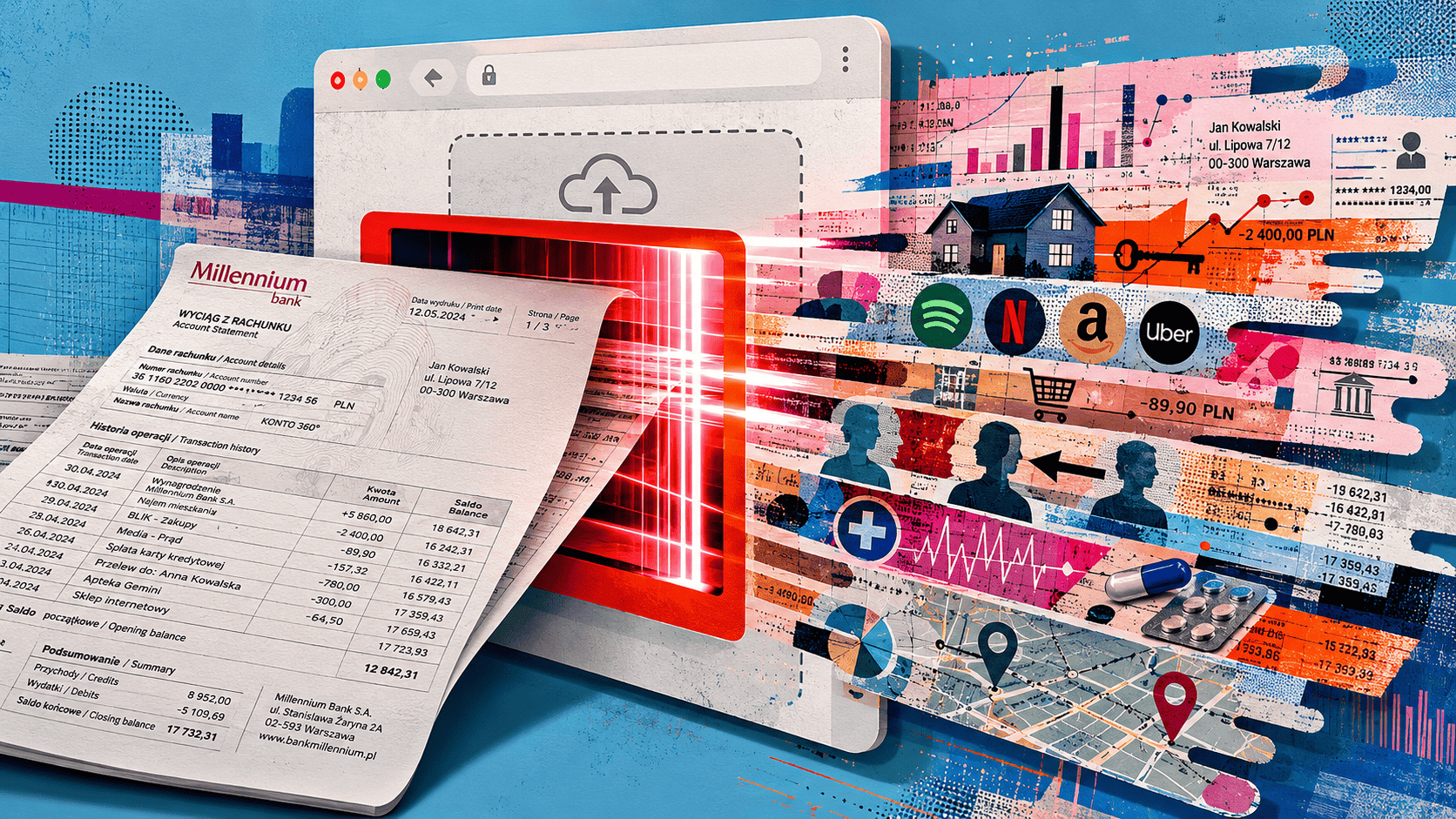
Is it safe to upload bank statements to an online PDF converter?
No. Do not upload a bank statement to a converter that sends the file to its own server.
A bank statement can reveal your identity, account details, income, balances and transaction history. Server-based conversion creates an additional copy of that information inside another company’s systems, increasing the opportunities for mishandling, unauthorized access or a data leak.
Use the original bank PDF whenever possible. If you need to compress, split, merge, reorder or convert it, use a browser-local tool that completes the task on your device without uploading or storing the statement.
Below, I'll explain why server-based conversion creates unnecessary risk, how local browser processing avoids it, and what to do if you have already uploaded the file.
- Do not upload bank statements to converters that need to send files to a remote server.
- A statement can reveal identity, income, recurring payments, debts, named transfers, balances, and financial routines.
- HTTPS and short deletion windows do not answer what happens after the file reaches the provider.
- Browser-local processing is the safer default for simple tasks such as compressing, splitting, merging, reordering, or converting a bank PDF.
The simplest way to think about it
Imagine that you are preparing a bank statement for a mortgage application.
The lender has a reason to see it. You have chosen to provide it as part of the application.
Now imagine that the lender’s portal rejects the PDF because it is too large. You upload the statement to a separate compression website, download the smaller version and then send it to the lender.
The file has now passed through an additional company that may briefly receive information about:
- where you work
- how much you earn
- your current balance
- which debts you repay
- who sends you money
- where you regularly spend
- whether you receive benefits or support payments.
The compression may take only a few seconds. But for those few seconds, the converter has become another participant in the document’s journey.
Necessary route
Unnecessary detour
That leads to the most useful question in this article:
Does this service actually need to receive my bank statement?
Your lender may need the statement. Your PDF converter usually does not.
Why a bank statement deserves more care than an ordinary PDF
A bank statement is not sensitive only because it contains an account number.
It may also show:
- your full name and address
- your bank and account type
- a sort code, routing number, branch number or IBAN
- current and previous balances
- salary, pension or benefit payments
- rent or mortgage payments
- loan and credit-card repayments
- transfers involving named people
- recurring subscriptions
- transaction dates and locations
- payments to medical, legal, religious or political organizations.
Individually, some of those details may appear harmless. Together, they form a detailed picture of your financial life.
The visible PDF is also a structured profile of financial life.
A statement may show where you work, when you are paid, which companies you use, who you regularly exchange money with and whether you are under financial pressure. It can reveal routines and relationships that an account number alone never would.
A bank statement will not usually provide everything needed to access your online banking account. But genuine financial details can make phishing, impersonation and account-recovery attempts much more convincing.
That is why how stolen documents are used for identity theft goes beyond passwords and identity numbers. Credible context can become useful when it is combined with information obtained somewhere else.
What changes when the converter uses a server?
A server-based converter has to receive the file before it can process it.
The statement may pass through an upload service, temporary storage, conversion software, cloud infrastructure, generated download links, logs and deletion systems.
Most of that may happen automatically. Nobody necessarily sits down and reads the document.
But another copy now exists inside another organization’s systems.
That creates additional points at which something could go wrong:
- the file could be stored in the wrong location
- an access permission could be configured incorrectly
- a temporary download link could remain active
- one user could be shown another user’s output
- a processing error could prevent deletion
- a support or administrator account could be compromised
- a backup or replica could remain after the main file is removed.
The important distinction is not between “good companies” and “bad companies.” It is between a workflow that creates an unnecessary external copy and one that does not.
Our guide to checking whether an online file tool uploads files explains how to identify which type of service you are dealing with.
Real document-handling failures are often surprisingly ordinary
When people hear “data leak,” they often imagine a sophisticated cyberattack.
In practice, sensitive financial information can also be exposed through ordinary mistakes.
The Financial Times reported that Lloyds mistakenly sent a customer hundreds of pages containing other clients’ investment information. The documents included names, addresses and portfolio details. The bank attributed the incident to human error during a statement-review process.[1]Financial Times — Lloyds blames human error after sending customer other clients’ investment dataReports that a customer received hundreds of pages containing other clients’ statements, names, addresses and investment information after a statement-review process error.
In another case, WIRED reported that more than 50,000 confidential letter records handled by a London document-outsourcing provider were exposed online. The provider processed correspondence for organizations that included banks and local authorities.[2]WIRED UK — A data fail left banks and councils exposed by a quick Google searchReports that more than 50,000 confidential letter records handled by an outsourced document-processing provider were exposed online.
Neither case involved a PDF converter. That is precisely why they are useful.
They show that an organization does not need to be malicious for sensitive documents to reach the wrong person or become exposed. A routine workflow, an incorrect setting or a simple handling mistake may be enough.
A converter becomes one more place where the document must be stored, separated, returned and deleted correctly.
The value of client-side file conversion safety is that the service can perform the technical operation without becoming another holder of the statement.
A statement-review process error can expose names, addresses, portfolios, and financial details without any sophisticated attack.
When many letters or statements are processed by another provider, a configuration or indexing mistake can expose records broadly.
What about services that delete files after one hour?
A short retention period is better than keeping files indefinitely.
It is still not the same as never receiving the statement.
When a provider promises automatic deletion, you are trusting that:
- temporary copies are covered
- previews and extracted text are removed
- failed conversions do not remain
- replicas and backups are controlled
- generated links expire properly
- the deletion process works every time.
Even a very short software failure can expose financial information.
Deleted later
The provider receives the statement first, then promises to remove it after processing or after a set time window.
Never uploaded
The file remains on your device for the task, so the provider does not need a server-side copy to protect, return, or delete.
In March 2026, a defect affecting Lloyds, Halifax and Bank of Scotland applications caused some customers to see account information belonging to other users. The potentially visible information included transactions, account details and payment references.[3]The Guardian — UK regulator examines IT glitch that enabled bank customers to see others’ accounts on appReports that Lloyds, Halifax and Bank of Scotland customers could see information associated with other users after a software defect.
The issue could occur when requests reach the system within the same fractions of a second.
This does not mean an online converter will experience the same defect. It illustrates a narrower point: “temporary” does not mean “impossible to expose.”
Local processing avoids that question because the service never receives the statement in the first place.
Does the HTTPS padlock make the upload private?
HTTPS is important. It encrypts the connection between your browser and the website, helping prevent someone else from intercepting the file while it travels.
But the padlock answers only one question:
Is the route to this website encrypted?
It does not tell you:
- whether the website needs the document
- where the file goes after arrival
- who can access it
- how long it remains
- whether it is copied
- whether the correct output will be returned to the correct person.
Encryption helps protect the file in transit.
A secure connection can deliver a sensitive document safely to a recipient that never needed it.
That is the central distinction behind HTTPS file-upload privac: secure transmission and private processing are not the same thing.
You can process a bank statement locally in your browser
The good news is that you do not have to choose between using an online tool and keeping the statement private.
A browser-local tool performs the work directly on your device.
You select the file through the webpage, but the statement is not uploaded to a remote processing server. Your browser reads it, performs the required action and creates the new file locally.
FileYoga lets you convert, compress, split, merge, reorder and edit bank statements directly in your browser. Every FileYoga tool is fully local, with no server-side file processing or storage. Your statement stays on your device throughout the process.
Local processing does not remove every possible risk. You still need a secure device, an up-to-date browser and a safe way to send the result.
It does, however, remove the unnecessary server-side copy.
With server processing, the provider promises to protect and delete your statement after receiving it.
With local processing, the provider never receives it.
This principle applies well beyond bank statements. A practical approach to data privacy in online tools begins by reducing unnecessary access and sharing files only with services that genuinely need them. Our guide to sensitive documents uploaded online looks more broadly at the types of records such as identity documents, tax files and medical records that should not be handed to an untrusted online tool.
How can you tell whether a tool is genuinely local?
“Browser-based” does not automatically mean “processed in your browser.”
A webpage can still upload every file to a server behind the scenes.
Look for clear wording such as:
- processed locally in your browser
- your files never leave your device
- no file upload
- on-device processing
- client-side conversion.
You can also test the tool with a harmless sample PDF.
Load the page, disconnect from the internet and see whether the conversion still works. If it does, that is a useful sign that processing happens locally.
Useful local-processing signals
- The page clearly says files stay in the browser.
- No upload progress stage appears for the task.
- The output is generated directly on your device.
Upload-based warning signs
- The tool says files are deleted after a timed window.
- It creates a remote download link.
- It requires an account for a simple one-off task.
A more reliable browser file-processing check uses the browser’s Network panel to identify file-sized outbound requests.
Use a dummy document for that test, not your real bank statement.
When people usually reach for a converter
This question often comes up during a stressful or time-sensitive application.
You may need a statement for:
- a mortgage
- a rental application
- immigration evidence
- a loan
- a benefits assessment
- proof of address
- an insurance claim
- accounting or legal work.
The recipient’s portal may reject the original because it is too large, password-protected or in an unsupported format.
Before changing the document, check exactly what is required.
Ask:
- Is the original PDF acceptable?
- Are all pages necessary?
- Is a smaller statement period enough?
- Is redaction allowed?
- What is the maximum file size?
- Does the recipient offer its own upload or conversion option?
You may discover that no conversion is needed at all.
That is often the safest and simplest outcome.
Avoid combining more information than necessary
A bank statement may be requested alongside a passport, payslip or tax return.
Do not combine all of those documents into one file merely because it feels convenient, unless the recipient specifically requires a single package.
The same reasoning applies when deciding whether it is safe to upload a payslip online. The intended recipient may need the payslip, but a separate converter usually does not.
Medical information creates different consequences, but the question of whether to upload medical records online starts in the same place: who genuinely needs to receive the file?
A safer way to prepare the statement
Start with a fresh copy
Download the statement directly from your bank’s official website or application.
Avoid using a version that has already been forwarded through email, messaging apps or shared folders when you can obtain a clean original.
Keep the original unchanged
Create a working copy before compressing, splitting, merging or converting anything.
That gives you an untouched version if the output becomes corrupted or the recipient later asks for the original.
Complete only the action you need
Use the PDF tools page to convert, compress, split, merge, reorder or edit the statement directly in your browser.
FileYoga never uploads or stores your files. All processing happens locally on your device.
Avoid making additional changes simply because the tool offers them. The fewer transformations you perform, the easier it is to verify the final document.
Check the result carefully
Open the new file and make sure:
- every required page is present
- balances and transaction amounts are readable
- no columns were cropped
- pages are in the correct order
- no unrelated document was included
- dates, minus signs and decimal points remain clear.
Send it through the intended channel
Use the recipient’s official upload portal where possible.
Local conversion protects the processing stage. It cannot prevent you from sending the file to the wrong email address, choosing the wrong attachment or creating a public sharing link.
Delete temporary copies
Remove duplicate PDFs, image exports and editable working files when they are no longer needed.
Also check whether your Downloads folder is automatically synchronized with cloud storage or another device.
Should you redact the statement before sending it?
Sometimes, but only when the recipient accepts a redacted version.
A landlord confirming your address may not need to see every purchase. A lender, immigration authority or legal process may require a complete and unaltered statement.
Ask before removing information.
When redaction is permitted, you may be able to remove:
- part of the account number
- unrelated transactions
- names of other people
- unnecessary payment references
- medical or legal payments.
Do not simply place a black rectangle over the text.
Visual hiding
A black box may only cover text visually.
Real redaction
Remove the underlying content, export a new copy, reopen it, then search and try copying the area to verify.
A visual box can hide information from view while leaving the original text searchable or copyable underneath.
Use a real redaction function, save a new copy, reopen it and then search for the hidden information. Try selecting and copying the covered area as well.
Redaction should also happen locally. Uploading the complete statement to a server-based redaction service creates the same unnecessary disclosure you were trying to avoid.
When is a server upload reasonable?
A bank statement does not have to remain on your device forever.
The organization requesting it may genuinely need to receive it.
That may include:
- a bank or lender
- a mortgage provider
- a government department
- an immigration authority
- a lawyer or accountant
- an insurer
- an official application portal.
Submitting the statement to the intended recipient is different from giving another company a copy just to change its format.
The aim is not to prevent every transfer. It is to remove the transfers that serve no necessary purpose.
What should you do if you already uploaded it?
First, do not panic.
Uploading a statement does not automatically mean that someone has accessed your bank account.
If you used an established converter:
- use any available file-deletion control
- remove generated download or sharing links
- check the stated retention period
- contact the provider if deletion cannot be requested
- monitor the relevant account.
If the website seemed suspicious:
The appropriate response after you have uploaded a sensitive file to the wrong website depends on whether the site was legitimate, suspicious or actively malicious.
If the statement has become publicly accessible or appeared in a confirmed breach, follow the more specific guidance for a bank statement leaked online.
Frequently asked questions
Usually not. A statement normally does not contain the password and authentication details required to access an account.
It may still help someone create convincing phishing messages, impersonate your bank or investigate other information about you.
A masked account number reduces one part of the exposure.
The document may still show your name, address, bank, balances, income and transaction history, so it should still be treated as sensitive.
It may expose less transaction history, but the first page can still contain identity details, account information and balances.
Use only the pages the recipient needs, but process them locally where possible.
Not necessarily.
A server-based converter may need the password or a decrypted copy of the document before it can perform the conversion.
Not automatically.
The financial information remains visible, and image conversion may create several extra files in your Downloads folder, photo library or cloud backup.
Selecting a downloaded PDF does not normally provide access to your bank account.
A converter should never ask for your banking password, authentication code or remote access to your device.
Not requiring an account reduces the amount of information directly linked to the upload, but it does not prove that the file stays on your device.
Where the processing happens remains the more important question.
Yes, but local processing protects only the conversion stage.
Email can create copies in sent folders, inboxes, mail servers and connected devices. Use the recipient’s official portal where possible.

Sources and references
- [1]
- [2]
- [3]The Guardian — UK regulator examines IT glitch that enabled bank customers to see others’ accounts on appReports that Lloyds, Halifax and Bank of Scotland customers could see information associated with other users after a software defect.theguardian.com ↩ context